
Where are Windows 8’s photo editing tools?
 Q: Windows 8 doesn’t seem to offer a way to edit images, as you could in Windows 7.
In particular, I’d like to edit my photos for their exposure, color balance and fix otherwise wonky pictures.
Do I have to buy another program, or am I missing something?
A: Neither Windows 7 nor Windows 8 include photo-editing tools with those particular features.
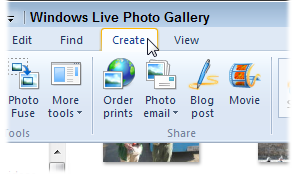
The program you’re missing was probably Windows Live Photo Essentials, which is now called simply Photo Gallery. It’s a free Microsoft program for editing photos. It comes in especially handy for resizing larger photos, making them easier to e-mail.
You probably downloaded Windows Live Photo Essentials onto your old Windows 7 computer, or the program may have been bundled with that PC when sold.
Either way, that program still works on Windows 8 computers, and you can still download it for free:
http://windows.microsoft.com/en-us/windows-live/photo-gallery-get-started
I covered that program in Windows 7 For Dummies, so it might be the one you’re familiar with.
Posted: March 18th, 2013 under Free software, Software, Windows 7, Windows 7 for Dummies, Windows 8, Windows 8 For Dummies.
Tags: editing photos in windows 8, photo editing, photo gallery, Windows 8, windows live essentials